HSBC Declines Internet Entrepreneurship Bank Account

My First Business Decision to Open an HSBC Business Direct Account Turned Out To Be a Wrong One

First Published Date : April 25, 2011 ADawnJournal.com

I have incorporated my Internet Activities in December, 2010. All my websites and domains are now under my new corporation A Dawn Dot Net Corp. – a Canadian federally incorporated business entity. How long does it take to federally incorporate a business in Canada? You will be surprised to know that it took me only slightly more than 24 hours to start my new corporation. How long does it take you to open a business account in Canada? Well, it all depends on which bank you pick. My first business decision choosing HSBC Canada to open my business account turned out to be a bad decision and became a nightmare. After leaving me hanging for 3 weeks, they told me that they would have to decline my application as they did not know what Internet Entrepreneurship was because they never dealt with this type of business before. Today, I will give you some insights into how my first wrong business decision to open a free HSBC Business Direct Account caused pain and agony.

Week 1

I walked into an HSBC branch located on 1940 Eglinton Avenue East in Toronto to apply for a Business Direct account. I was told by the branch that for this account I had to apply online and the branch was unable to provide me any help. So, I returned home and applied online. I was told on the confirmation email that I should hear from an HSBC Business Banking representative within 1 business day. However, 3 or 4 days passed and I did not receive any emails or calls from anyone regarding my application status. Finally, I ended up calling their business customer service. The business banking representative was friendly and apologized for not getting back to me. He interviewed me intensely regarding Internet entrepreneurship. I had to explain to him what a domain is, how we make money from ads on websites, the various faces of Internet entrepreneurship and much more. I had to show him a few of my websites and after a long conversation he seemed to be satisfied. He mentioned that I should be hearing from someone at the branch to visit and produce my corporate documents once my account is approved and that it should not take more than 2-3 days. A point worth mentioning is that I received a bankcard from HSBC in the mail even without even having my bank account approved.

Week 2

About 5 days passed and so far I did not receive any calls or emails from anyone. My Cuba trip was approaching, so I decided to call HSBC business customer service again. To my surprise, this rep asked me the same questions I was asked by the first rep. So I had to explain everything to him all over again. It was like a job interview. I was getting a little agitated. However, he apologized for the delay and mentioned that it should not take more than 2-3 days to get an answer. I mentioned to him that I would be in Cuba for a week. He assured me that I should have an answer before I return.

Week 3

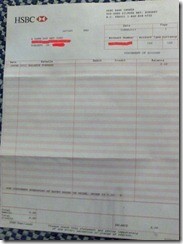
Upon returning from Cuba, I checked my email and Canada Post mail box for any correspondence from HSBC. There was nothing. No rejection notice, no acceptance notice, no nothing. I called their business banking number again. This time, I summarized what happened so far so he did not have to start interviewing me again on Internet entrepreneurship. After listening to me, he mentioned that HSBC never dealt with business bank accounts for Internet entrepreneurship before and they are unable to issue a business bank account. I should be receiving a formal rejection letter within the next few days from HSBC. This rejection letter came to me after 2 weeks, not after a few days. And the funny thing is, although they declined opening an account for me, I still have been receiving a statement every month from HSBC. Their one department keeps issuing a monthly statement not knowing that other department declined my account. I am attaching a copy of this statement on top left of this post.

Final Word

I wasted all of December trying to open a bank account with HSBC Bank Canada. When I went to RBC Royal Bank to open a business account, they managed to do that in one day. I regretted going to HSBC the first time. HSBC claims to be “The World’s Local Bank.” However, they are far from providing world-class service to be considered the world’s local bank.


How to Choose A Place to Retire

Choosing A Place To Retire

First Published Published Date : May 4, 2011 ADawnJournal.com

When you are approaching retirement age, there is a chance that you will want to move. This is often because your family has probably moved away, your kids are out and you may want to have some change of scenery. If you live where it snows, you may also want to spend the rest of your days in a nice warm location like Florida.

Of course, when you are choosing a new place, or state, to move to in your retirement, it is important you choose right. Choosing wrong could make your retirement anything but enjoyable and you could find your money slipping away because you made the wrong choice for the place you are going to spend your golden years.

To help you make the right decision, here is are some things to keep in mind for your retirement.

1.    Climate: You want to be in a place where the temperature and weather is normal so you don’t have to worry about severe storms, shovelling snow and more.

2.    Economics: You want to live in a place where the cost of living is normal, the tax burden is minor and there is not a high amount of unemployment, just in case you wanted a part-time job to supplement your income.

3.    Life Expectancy: You want to live in a state that has a high amount of people living well into their old age.

4.    Crime: You want to feel secure, so moving to a place with a high crime rate is probably not something you want to do. You want to find a place where there is little crime so you can feel safe in your golden years.

So, what are the best and worst places to retire? Well, according to TopRetirements.com, these are the choices you have in the USA:

The worst states are (2010 edition):

50. Illinois

49. California

48. New York

47. Rhode Island

46. New Jersey

45. Ohio

44. Wisconsin

43. Massachusetts

42. Connecticut

41. Nevada

The reason Illinois is the worst state is because it does not have a high amount of economic action going on and it has had to borrow money just to fund the pension obligations of the state. That is not a good sign. In addition, there is no security income or tax pension, which is something many retirees rely upon heavily.

The best states are(2010 edition):

1. Florida

2. North Carolina

3. Tennessee

4. South Carolina

5. California

6. Arizona

7. Texas

8. Colorado

9. Oregon

10. Delaware

Florida has the warmest winters in the United States, there is no income tax and there is a high amount of property tax protection, which is very important for retirees.

You will also notice that on both lists, you have California, this is because the best list was based on visits to the state retirement guide of TopRetirements.com, while the other list is based on certain criteria. The biggest plus for California though was the climate.

So, where are you going to retire to spend your golden years?

How To Get Free Internet (No Kidding)

Get Free Hi-Speed Internet for Your Home and Save $50 or More per Month

First Published: May 11, 2011 ADawnJournal.com

Is This A Trick To Make Me Read Your Article?

The purpose of this article is not to trick you to read it by giving unrealistic tips such as going to an Internet cafe or Wi-Fi hotspot zone and sit there all day long to have free Internet access; or not to give you an even more nonsense tip such as drive around the neighbourhood to find an unsecure Internet network and sit in front of that house in your car with your laptop to have free Internet access (and oh yes, don’t forget to keep an eye out for police cruisers).

The purpose of this article is to give you enough information to have free Internet at home and at outside – without paying for a separate Internet connection. I will tell you what you need to save around $50 per month, and I will also tell you what you can do to overcome some technological limitations – if you are not a tech savvy person. However, after learning about all the tips and tricks, just like anything else, some of you may not want to go through the pain and hassle (if you think it that way) to save $50 a month – and that is perfectly understandable. However, I will tell you this that I have been using free Internet and saving $50 a month for 4 months now since I discontinued my regular Internet service in January 2011.

What You Must Need To Have Free Internet

Here is what you must need to have this work for you:

An Android smart phone (same procedure mentioned here should work for other smart phones; however, I use Android and am only familiar with Android)

A phone plan with unlimited data. In Canada, Mobilicity and Wind Mobile offer unlimited data plan.

A tethering app or software

A USB/micro USB cable

What Is Tethering?

Tethering is the process in which you use your smart phone to get Internet access for your laptop or desktop. Your smart phone and your computer can be connected via USB cable or wirelessly via Wi-Fi or Bluetooth connection.

How Do I Actually Connect My Smart Phone and Computer To Get Free Internet Access?

The way I do it, and this is the easiest way to tether with an older version of the Android operating system, is to use a USB cable and very user-friendly tethering application such as Easy Tether.

Here are the steps in order:

You need to install tethering software on your computer and smart phone. There are many available on Android market so you can pick the one that suits your needs. I use Easy Tether.

Connect your computer and smart phone via a cable.

You may need to change some settings on your phone. The tethering software’s website will tell you what settings need to be changed and it should not be that complicated.

What If I Am Not Tech-Savvy Enough To Do It On My Own?

Tethering is not hard to do; however, I realise that some of you may not be able to do it. What can you do in that case? Find someone else to do it for you. If you know a high school kid who is on the Internet 24/7 in your neighbourhood or even in your home, most likely this kid will be able to do it for you.

Another easy way to find someone is to check cell phone stores. The folks who works there are usually very tech-savvy and they can do it for you in a snap. One geeky guy at my phone store did a lot of work for me when I first bought my smart phone, as I had even no idea how to pick up a call on a smart phone. As a token of appreciation, I gave him some cigars upon returning home from Cuba. This is the guy who also taught me how to tether. One point here – don’t expect someone to work for free for you. Offer them money and they will be happy to go the extra mile for you and it is only fair. For example, offer someone $100 to set up tethering for you and I can almost tell you with certainty that this will be an offer someone won’t be able to refuse. Don’t worry about spending $100 when you will be saving $50+ a month on a regular basis.

Technology Makes Life Easier

In newer versions of Android phones, you will not have to go through setting up tethering and so on to enjoy free Internet. Google has added built-in tethering and Wi-Fi hotspot functionality so you can tether easily or use your smart phone as a high-speed wireless modem to share an Internet connection among many computers.

The Last Word

My smart phone does not support Wi-Fi hotspot functionality – so I am limited to have Internet only on one computer at a time. I am hoping to get a new version of the Android phone shortly so I can have Internet on all my computers at the same time. And yes, with the money I am saving after disconnecting my regular Internet – which comes out to be about $600 annually (12 X $50), I can afford to buy a new phone shortly.

EVA Air Business Class Lounge Review

The Infinity Lounge | Taiwan Taoyuan International Airport (TPE)

Last time, I tried the EVA Air Star Lounge at TPE, so this time I decided to try the Infinity Lounge. The Infinity and Star Lounges share the same entrance. The Infinity is on the right and the Star is on the left.

I saw a robot butler at the entrance, but I was not sure if it was functional or just for decoration purposes. After entering, I was little bit shocked by the lounge’s general decor. I was not able to get what kind of theme they were trying to show.

I immediately regretted not choosing the Star Lounge, which I had already visited. Although the Infinity Lounge was spacious, it was crowded and I didn’t feel I could relax there.

It has shower rooms with nice names like Metro Forest, Star Drops, etc., but most of them were occupied.

The food section was adequate, but I felt the Star Lounge food section was bigger and better.

I saw some decor on the ceiling that were created by projecting lights. These different shapes, like mostly round or curved, changed colors and blue ones were the ones I liked most. These different-shaped light projections were something unique and made visiting the Infinity Lounge worthwhile.

Overall, I found the Infinity Lounge is a lounge you should visit just to get the experience of visiting. If it’s not too crowded, it would be a nice lounge to visit and enjoy the themed decor and light projections on the ceiling.

Is Chromebook Going to Be A Bridge to The Future of Computers?

Google’s Attempt to Change Our Behaviour

First Published Date : May 18, 2011 ADawnJournal.com

Google just unveiled its new cloud-based laptop that runs on Google’s Chrome operating system. Acer and Samsung will the first to bring netbooks based on the Chrome OS platform. Bringing a computer based on a brand new concept is Google’s newest attempt to change how consumers use their computers and possibly build a bridge from the present to the future world of computers. However, will Google be successful building this bridge? Today, I am going to discuss some advantages and disadvantages of web-based computers like Chromebook and then you can decide whether it will succeed or will be a failure.

Advantages

You can forget about installing and updating software, running anti-virus, and so on. It’s all done automatically.

Takes 8 seconds to boot.

It’s always connected to the Internet, as Chromebook uses the Internet as its hard drive.

Low-power consumption and the battery lasts much longer than a traditional laptop

Runs much smoother than a traditional Windows-powered laptop

Disadvantages

People are not yet comfortable enough with cloud computing. It will be hard to overcome the psychological barrier of surrendering personal data on Google servers.

You will not be able to download and install programs you have known and used at length onto Chromebook. As you will not be able to use many programs you require on a daily basis, having a Chromebook will be meaningless.

As Chromebook is powered by the Internet, it will be dysfunctional (most of the applications) if there is no Internet access. However, as far as my understanding goes, some of the apps may work without the Internet. So, you are buying something for which you need to have an Internet connection 24/7 – which is not practical for many of us. For example, if you use the Toronto subway to commute or having a coffee at a coffee shop in the world’s largest underground shopping complex PATH in downtown Toronto, a Chromebook netbook will be useless.

Priced at $350 to $500, it’s not cheap and available only from two manufacturers.

Last Word

The main thing to overcome here is the psychological barrier. A product made to change our traditional computer experience will not be a smooth transition for sure. If you would like to get a feeling of what Chromebook will be like, try using only Google Chrome browser and all the applications only accessible via Chrome for a week – and you will get a feel for it. Coming back to our question – is Chromebook going to build a bridge to the future? It all depends on how consumers react.